This week, we learnt about the components of computers.
Input and Output
First, we learnt the process when a computer solve a problem. There are three steps: input, process and output. During the process, data can be stored in storage. For example, when we input a number into the computer, it would be stored in the accumulator and waited to be used afterwards.
Main Components in CPU
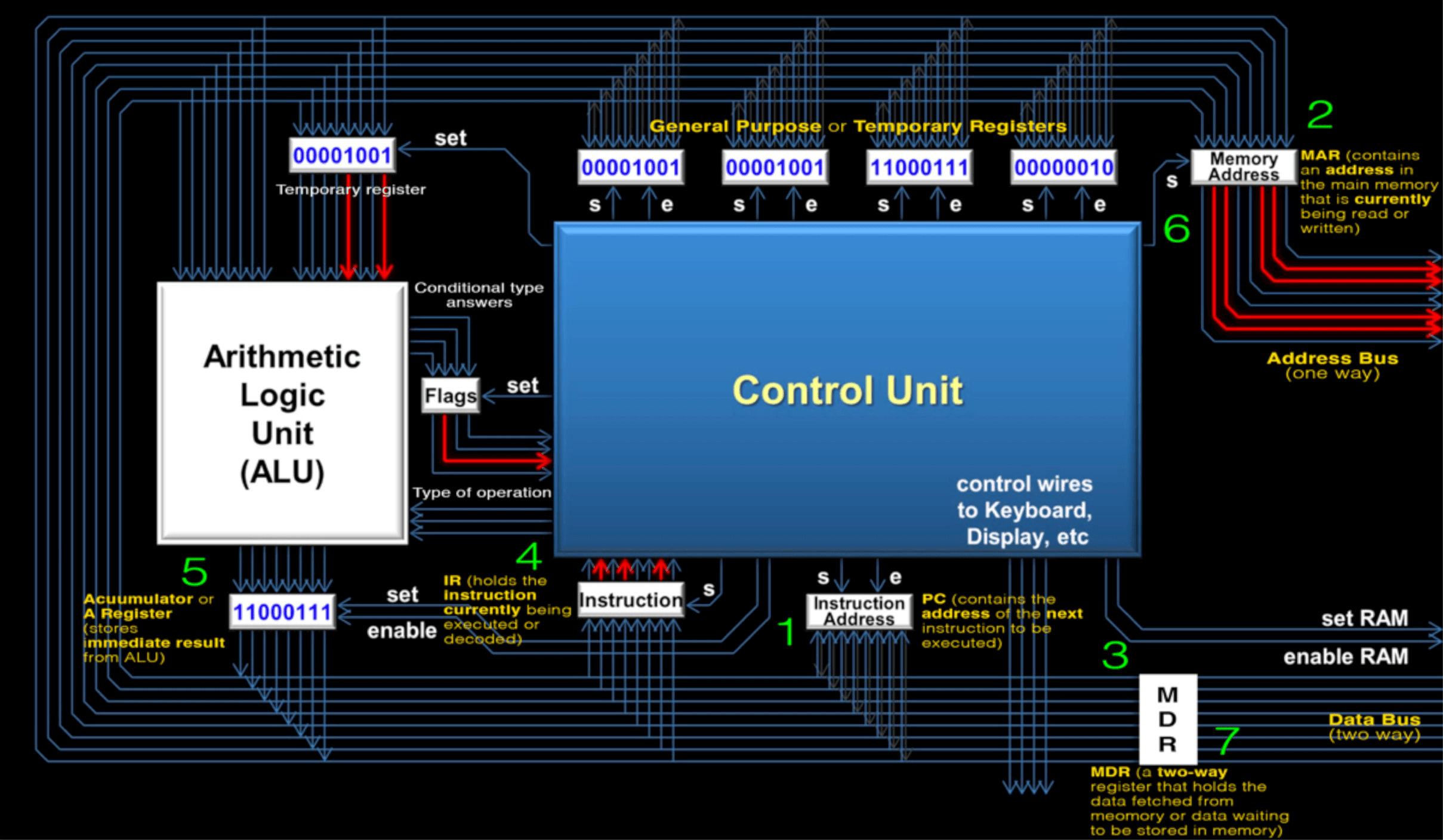
CPU (central processing unit) is the key component in a computer. Within a CPU, there are 5 main components: CU, ALU, RAM, Cache and registers.
CU: control unit, the key components within a CPU. It decodes instructions and control other components.
ALU: arithmetic/logic unit. It does all the arithmetic and logic calculation. It is the core of the CPU.
Cache: Small, fast-memory that holds frequently used data.
Register: Small, temporary storage unit in computer.
There are five types of register:
Accumulator: stores immediate result from ALU.
PC: program counter, stores the address of the nest instruction.
MAR: memory address register, stores the being-processed instruction’s address.
MDR: memory data register, store the data just fetched from the memory or waiting to be stored in memory.
CIR/IR: current instruction register: stores instruction that is currently being decoded by the CU.
Diagram of a CPU
We watched a video about how CPU works in a computer.
People usually use a Scott CPU to represent the basic structure of a CPU.
Retrieve information from RAM:
CPU sends an address to RAM through address bus.
CPU turns on enable wire.
RAM sends back the piece of information on that address through data bus.
Repeat the process.
Store information to RAM:
CPU sends an address to RAM through address bus.
CPU sends information to RAM through data bus.
CPU turns on enable wire.
Information may represents instructions, numbers or letters.
Instruction sets:
LOAD
ADD
STORE
COMPARE
JUMP IF condition
JUMP
OUTput
INput
CPU Mother Board
Memory: Primary and Secondary
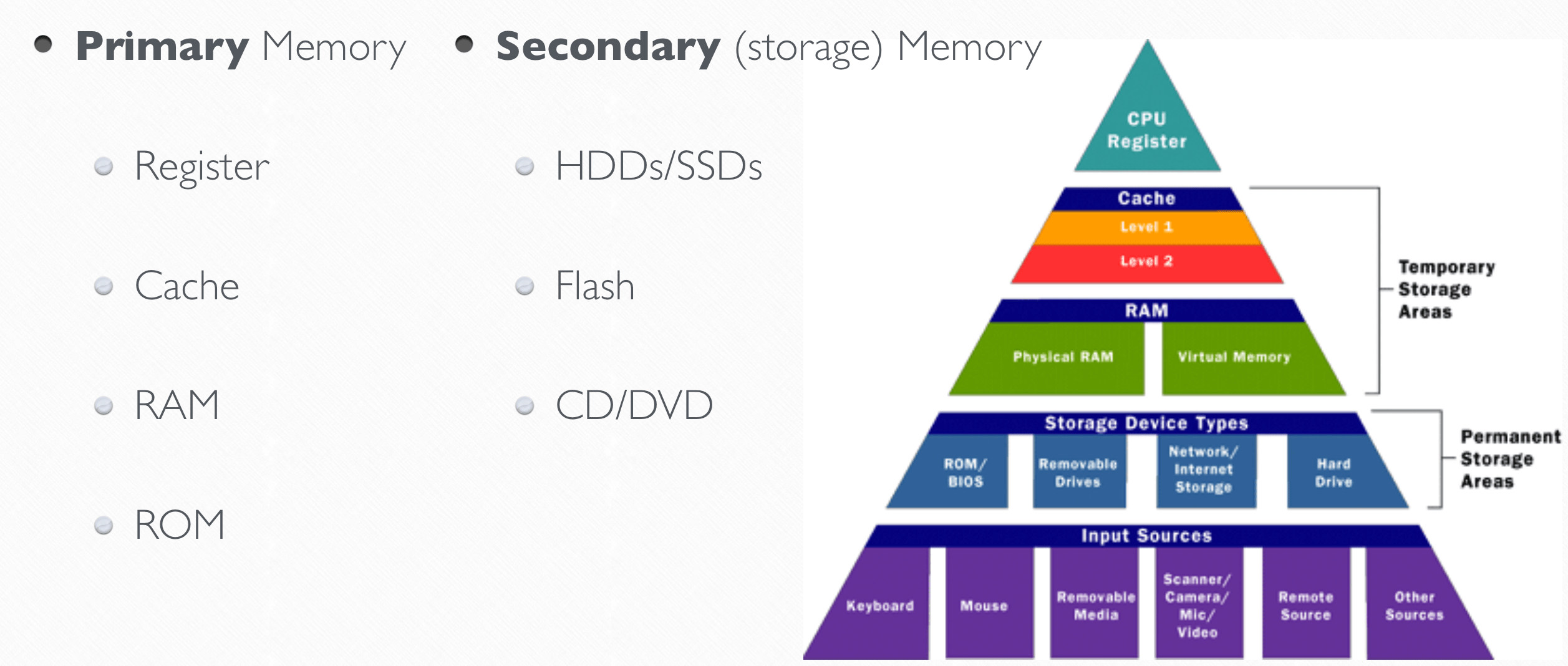
There are two types of memory: primary memory and secondary memory. Primary memory are smaller and faster than secondary memory in general. From the closest to the farthest from the CPU, we can rank primary memories as registers, cache, RAM, ROM and virtual memory. It’s also the rank of speed from fast to slow, size from small to big.
Outline of different memory
The different between RAM and ROM is that you can rewrite the data on RAM, and it’s volatile, which means data would be erased if power if turned off. However, ROM stores BIOS (basic input and output system), a basic program to start other programs, so its information cannot be changed.
Cache is a device to speed up processing speed by storing frequently used data so that CPU doesn’t have to get information from RAM, which is much slower. It is known as a static RAM, which is faster than regular DRAM (dynamic RAM). There are three level of cache. L1 cache, the smallest and fastest one, is a part on CPU chip. L2 and L3 stay between L1 cache and RAM. The larger the volume of these two cache, the faster a computer can run.
Virtual memory is only used when there is not enough space RAM. This method allows the computer use a part of hard drive as RAM to expand the volume. However, due to the speed limitation, virtual memory is slower that real RAM.
Aside from ROM, all primary memory is volatile. So the secondary memory is needed to permanently store data. Examples of secondary memory are hard drives, flash drives and CD/DVD.
Machine Instruction Cycle
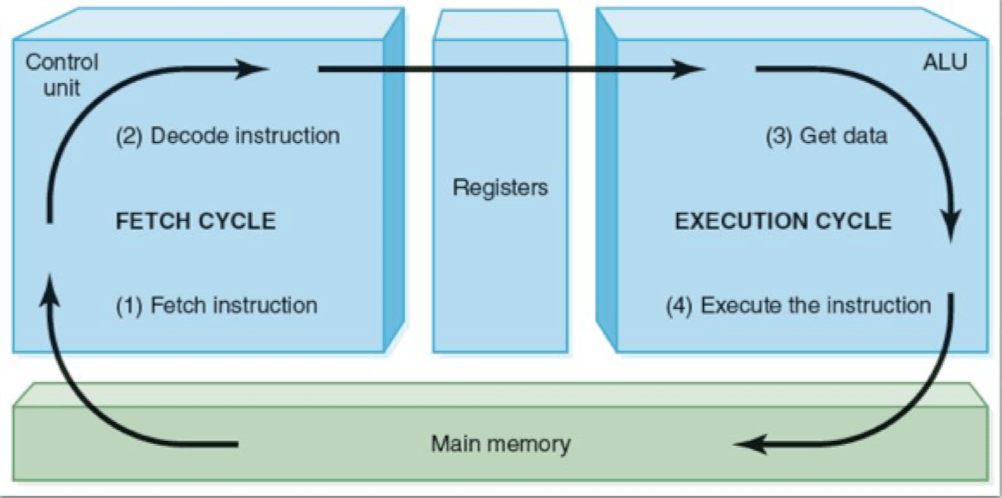
CPU goes through four steps to run a program:
Fetch: data from MAR to RAM to CU
Decode: CU decode data and fetch other data if necessary
Execute: ALU execute the instructions and fetch other data if necessary
Store: store the result in memory and wait for the next instruction
Machine instruction cycle
Little Man Computer
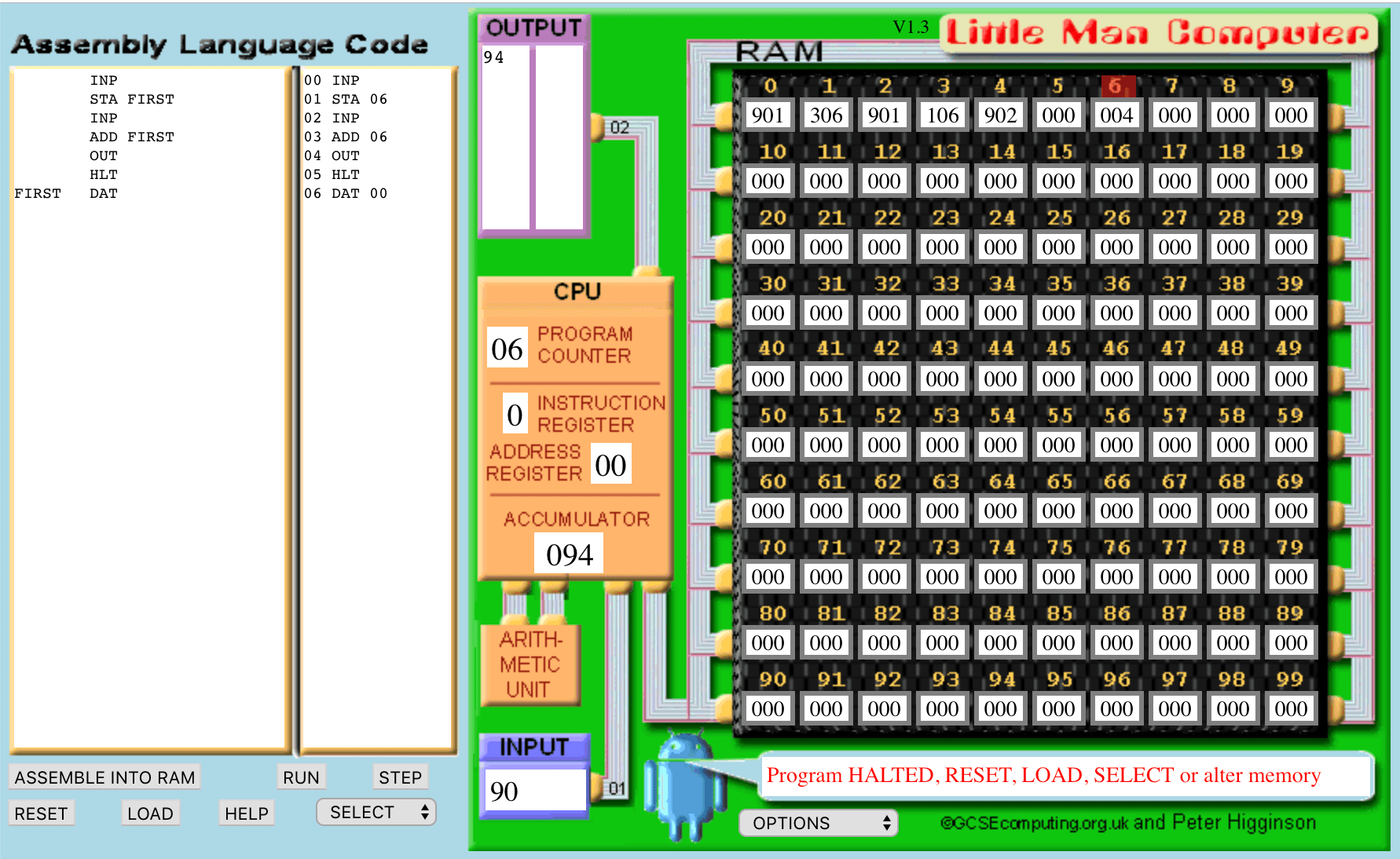
We tried to program with assemble language that CPU can understand. There is a website to find codes for this language.
Code for A+B
Code for A+B+C:
INP
STA FIRST
INP
STA SECOND
INP
ADD SECOND
ADD FIRST
OUT
HLT
FIRST DAT
SECONDDAT
Code for (A+B)+(B+C)
INP
STA FIRST
INP
STA SECOND
INP
ADD SECOND
ADD SECOND
ADD FIRST
OUT
HLT
FIRST DAT
SECONDDAT
Last but not Least
This week, we learnt further information, include detailed structure and function inside a CPU, which is imperative for a computer. Also, the programming part looks like the initiation of programming in CS. I’m looking forward to future class😝

 JIHONG ZHAO