This week, we learnt about our first programming language: Java. It’s a high-level programming language and can run on different platforms. Java’s source codes are written on a plain text file (xxx.java), and then compiled into .class file, a file that contains bytecodes (an instruction set for a virtual, machine-independent processor) by Java compiler. In this language, normal letters and capital letters are different, so it is case sensitive and also strictly typed. JVM (Java virtual machine) is a combination of compiler and interpreter of java language. It can run on different platforms as well (platform dependent). There are two steps between Java language and machine language. First, compiler converts source codes into bytecodes, then interpreter converts bytecodes into machine language.
Steps of Creating a Java Program
There are steps to create a java program.
- Create a new project and a new class. Notice that the name of class should has no space.
- Add the project description and author information in the top lines of the source codes.
- Identify data we know
- Identify data we need
- Declare variables’ names
- Initialize the value of identifiers
- Processing the data
- Output the result
Primitive Data Types
Longer ones can contain shorter ones, but shorter ones cannot contain longer ones. For example, long can include char. In particular, boolean can only be contained by boolean.
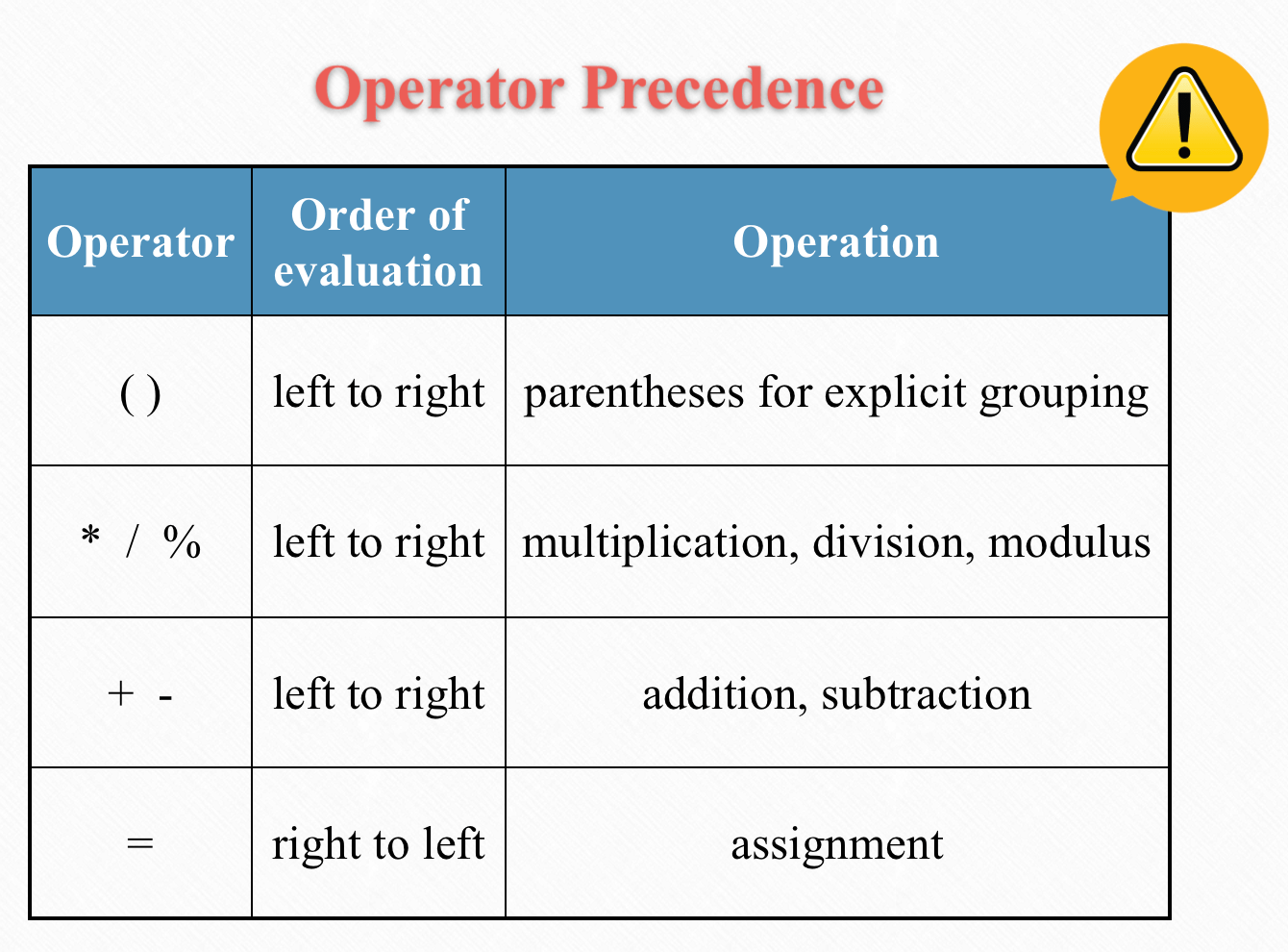
Java Operators and Arithmetic Operators Precedence
- Assignment operator (=): Value on the right of the operator is assigned to the variable on the left
- Arithmetic Operators: simple mathematical calculations, including * / % + –
- Logical operators: change boolean values (true or false) and produce new boolean values. E.g.: && means AND, || means OR, ! means NOT.
- String Concatenation Operator (+): print the values of variable with simple English
In arithmetic operators, there are certain calculation orders that computers have to follow.
Key Concepts
We also defined some key concepts of Java.
- Java SE: Java standard edition,
- Java EE: Java enterprise edition,
- JDK: Java developing kit, tool to develop java programs
- JRE: Java runtime environment, tool to run Java programs
Programs and Projects
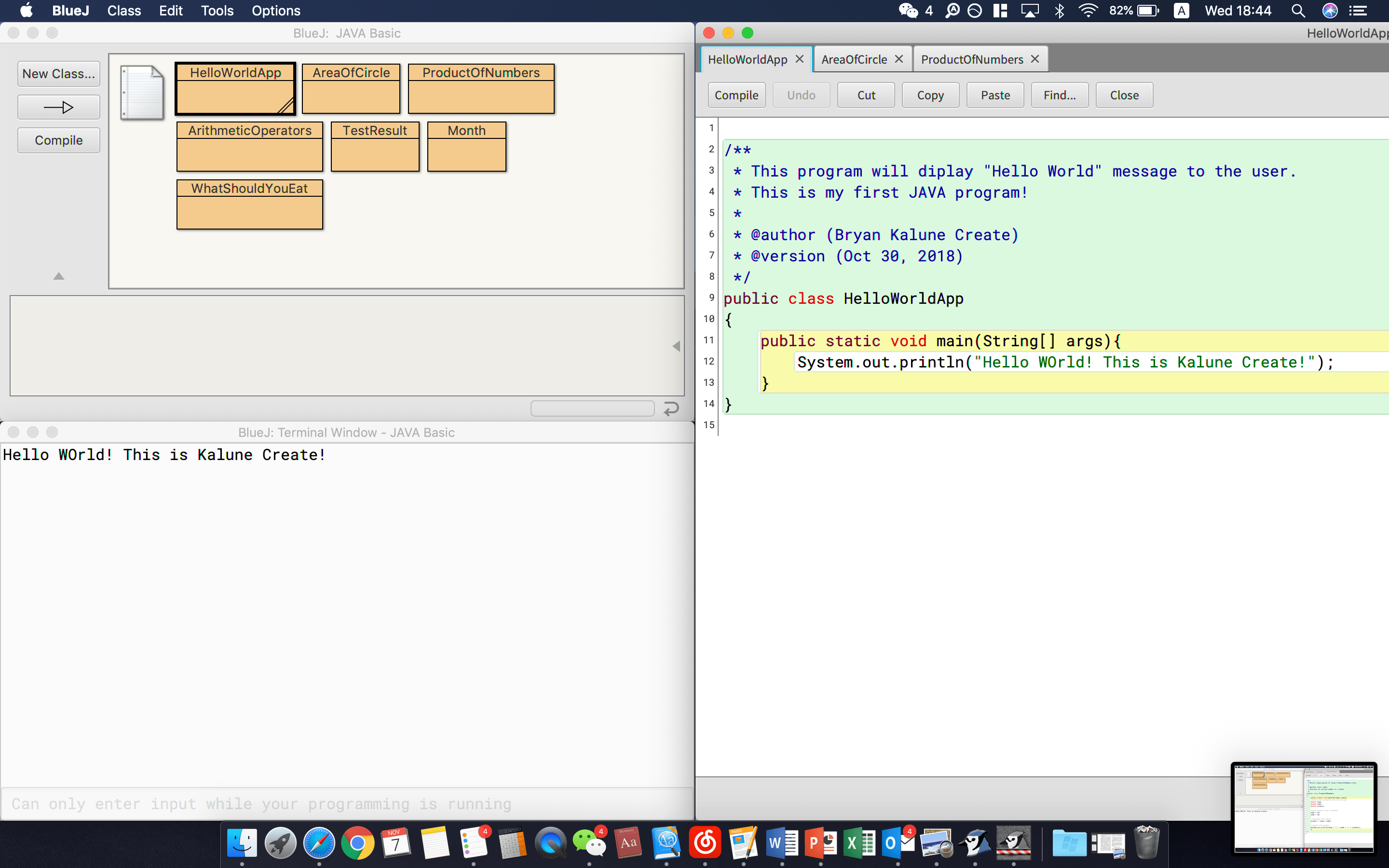
Program 1: Hello World
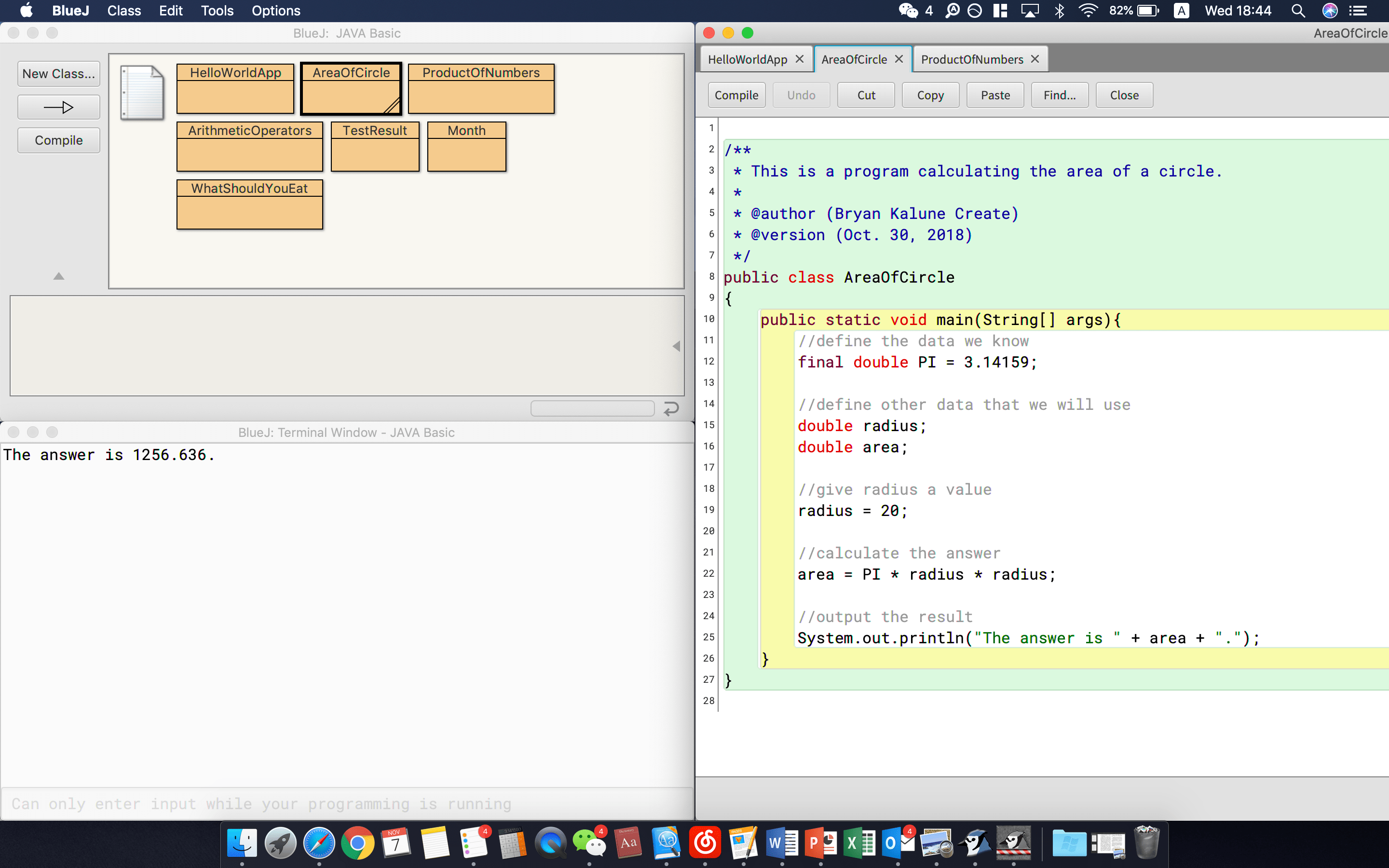
Program 2: Area of a circle
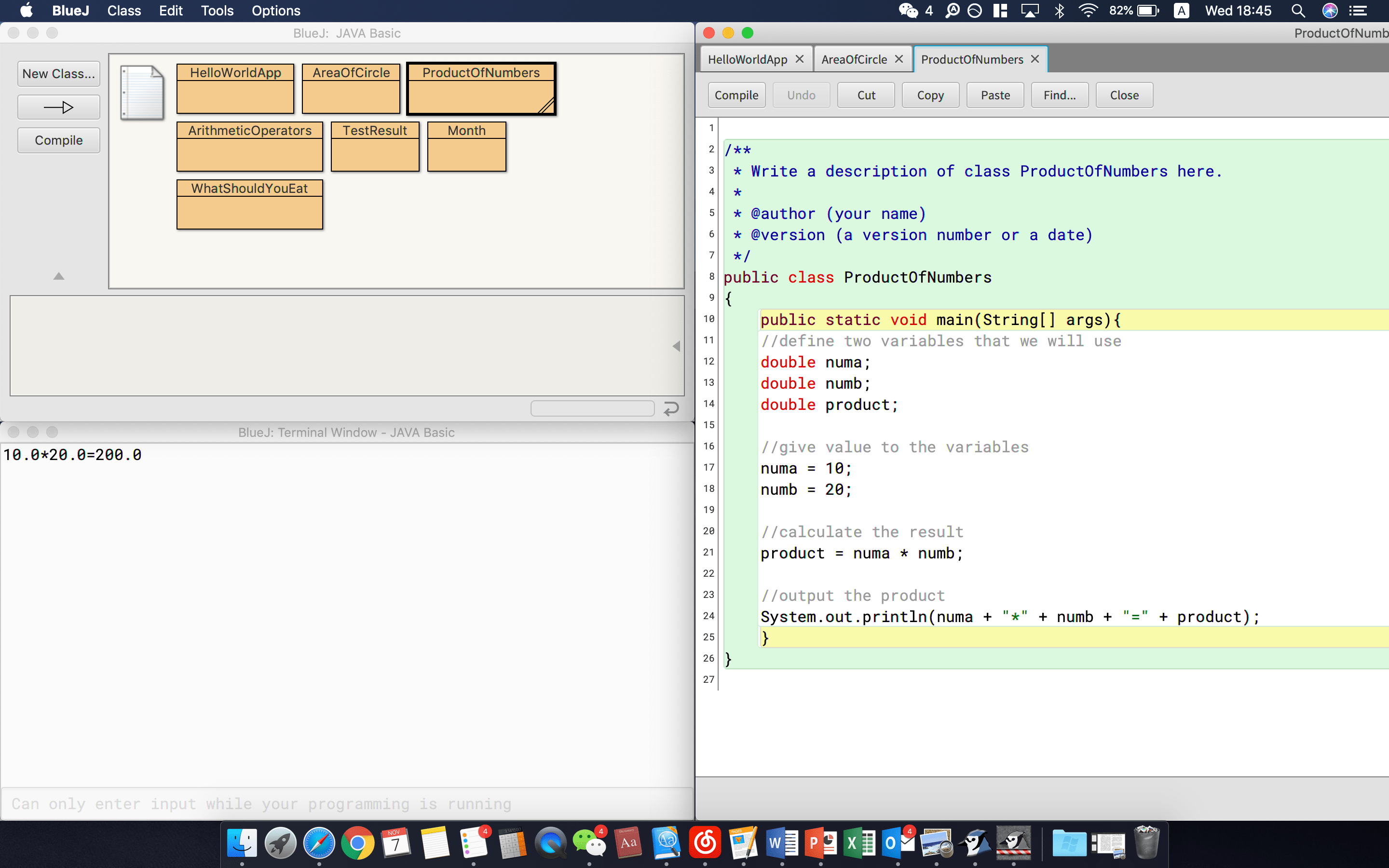
Program 3: Product of numbers
Program 4: Arithmetic operator
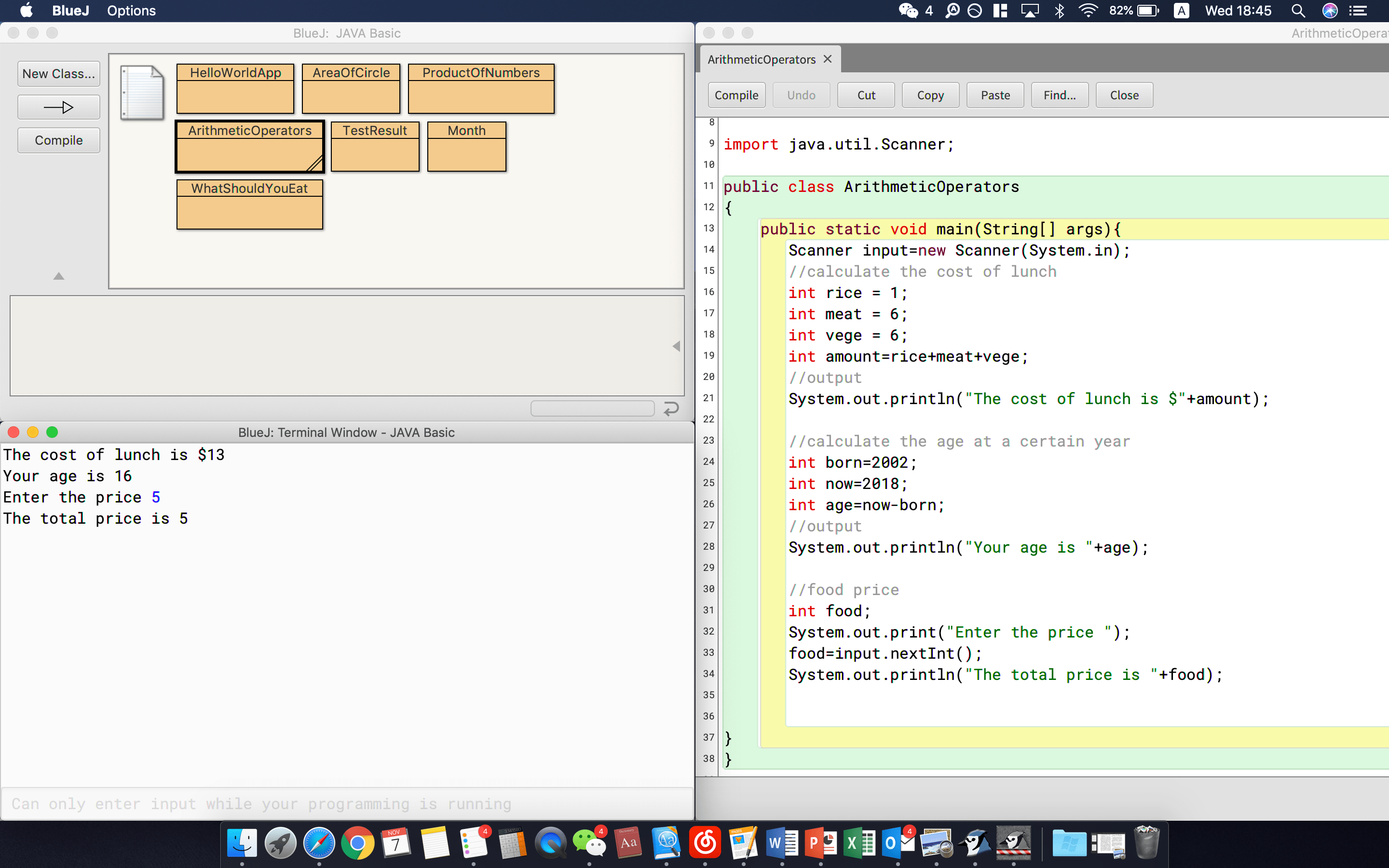
Program 5: Test result
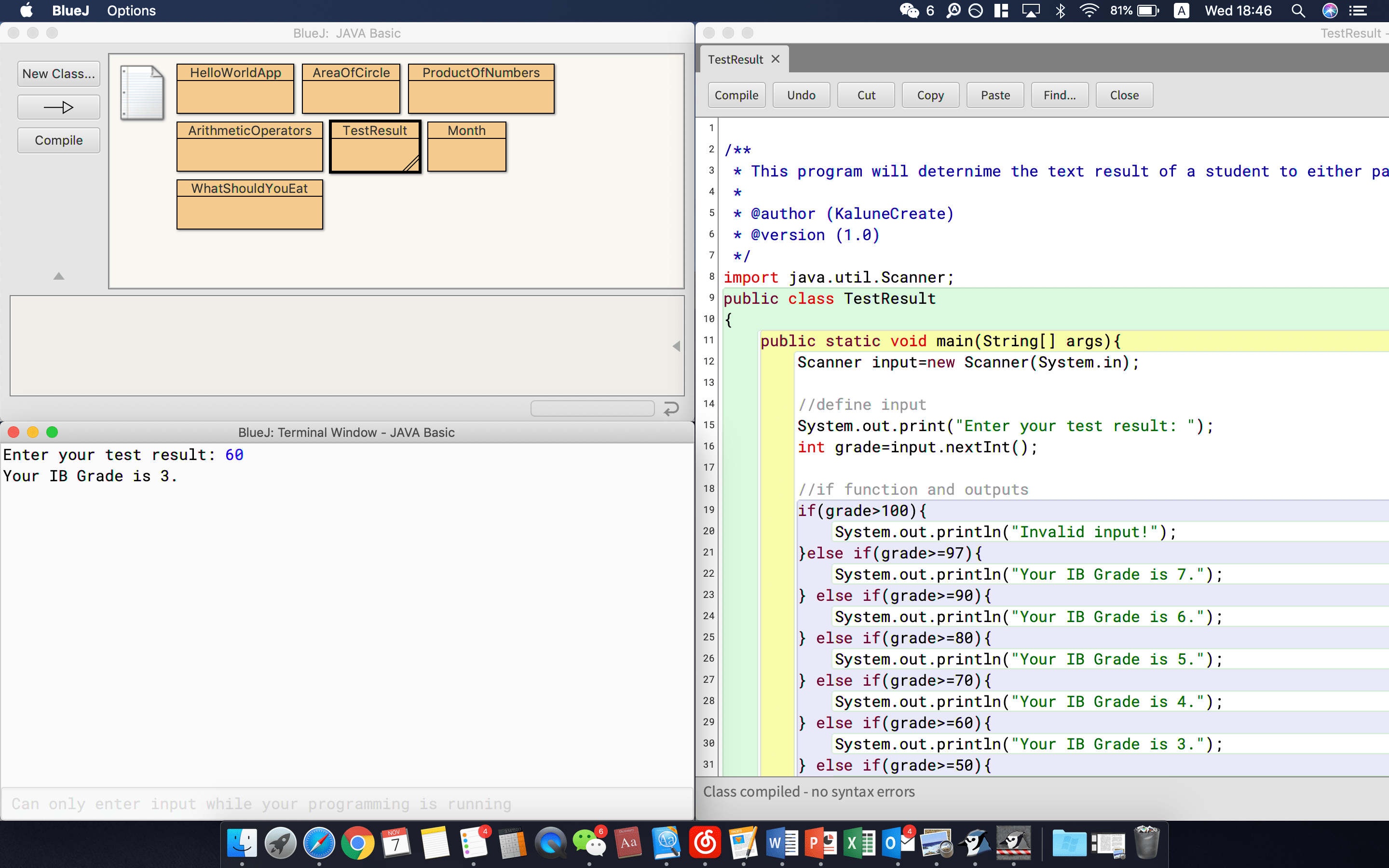
Program 6: Indicate a month
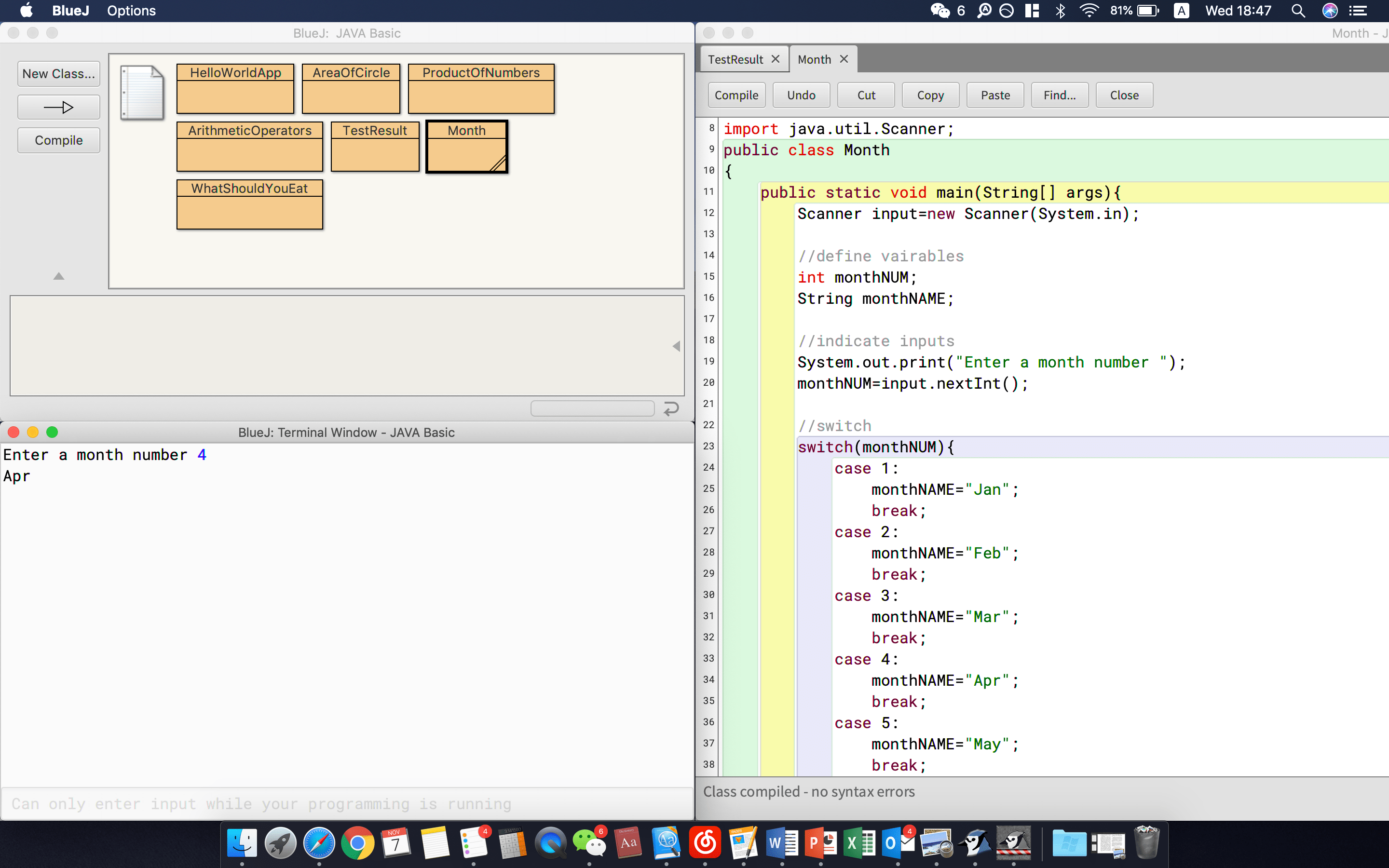
Project: What to eat for meal
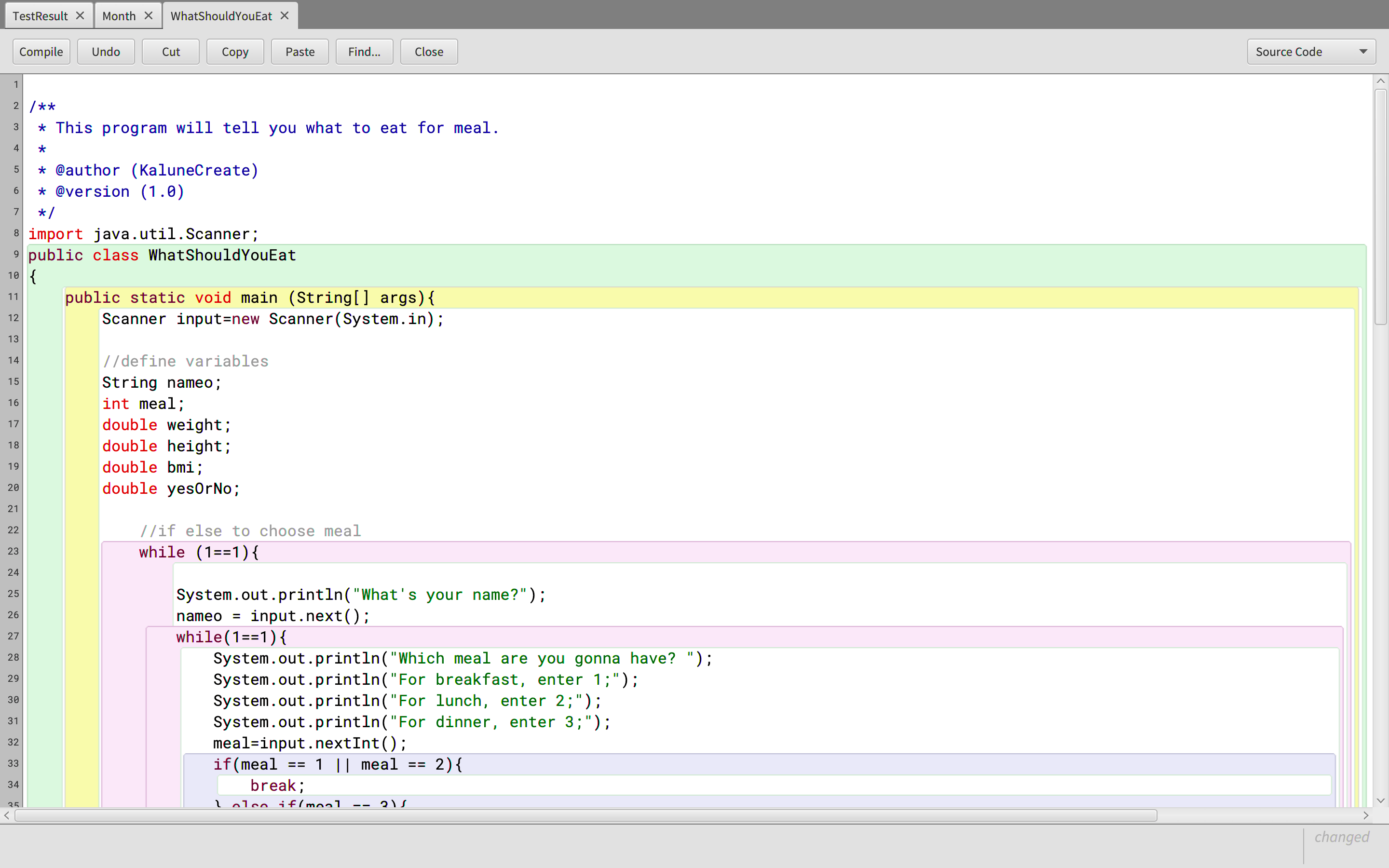

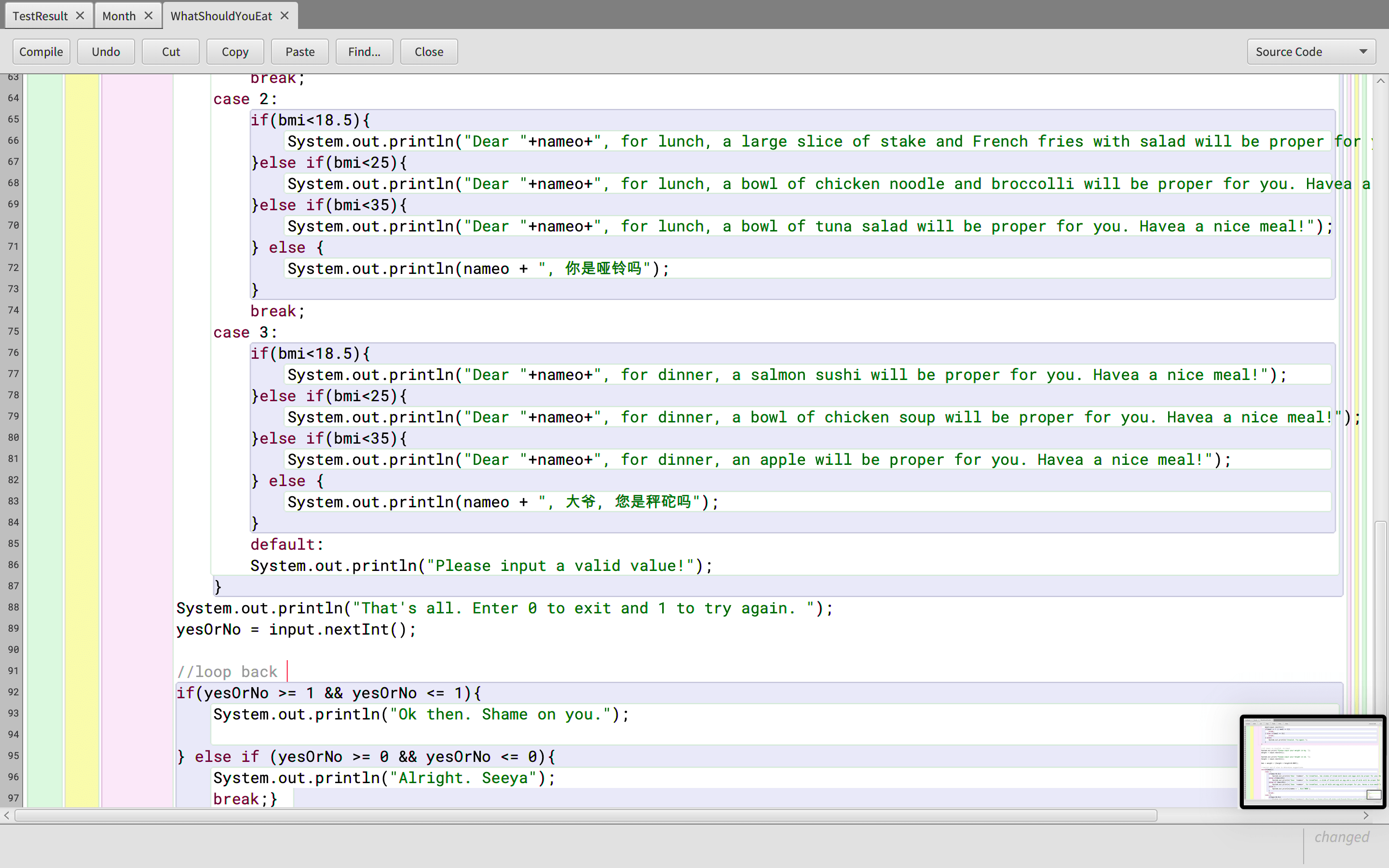
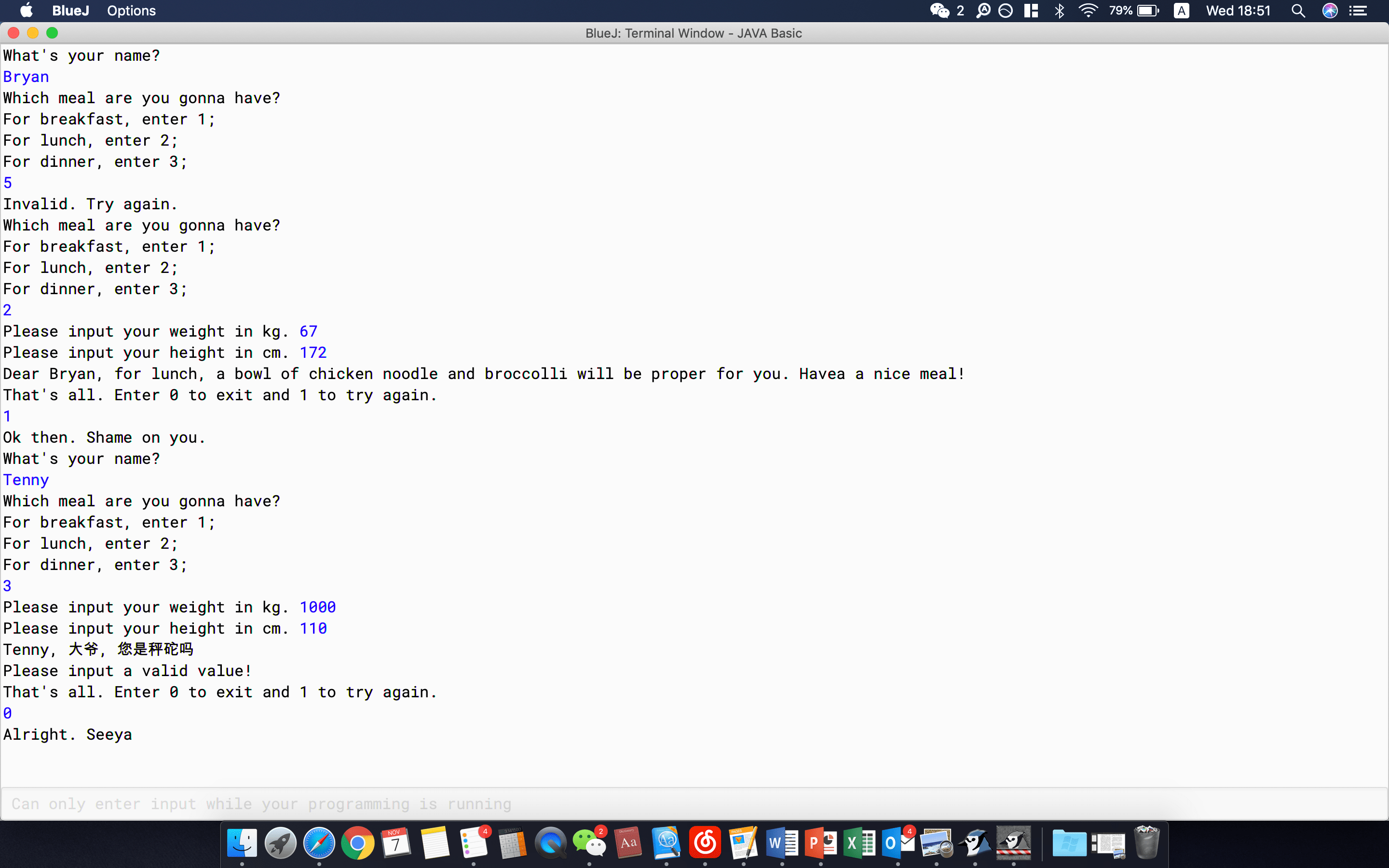
The final project is a rather complex program. We used switch, if and loop to construct this program. It shows what should you eat after you input your hight and weight.
Conclusion
This is the first week that we literally started to write our own real program. Very exciting. Hope with this great beginning, I can create better and better programs in the future.
 JIHONG ZHAO