This is the first blog post in the new semester. We continued on the OOP theme of our studying, and the concept of GUI will be introduced, according to Mr. Pete in the beginning of the class.
ArrayList / Collection
The first new concept introduced is ArrayList in Java OOP, or collection in pseudocode. Collection is a group of object. It can be used to solve problems like personal organizer, library catalogs or student identity record. Its biggest different between a collection and an array is that array has a defined size, while a collection does not have a defined size; all the elements insides is manipulated by “add” or “delete” items. This is achieved by holding a private count “size.accessor()”.
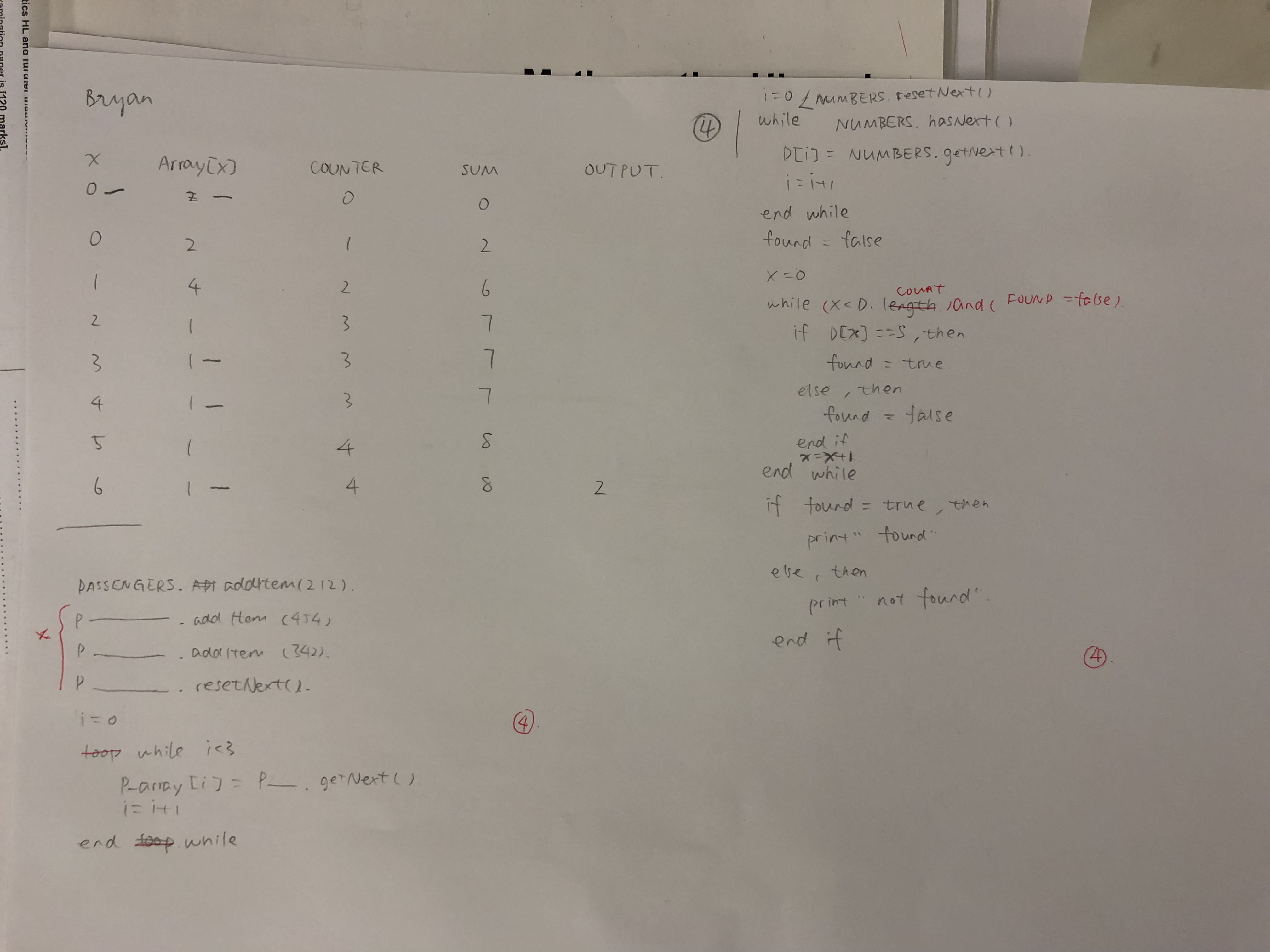
Exercise 1: Pseudocode Expression of Collection
Exercise 2: Music Organizer
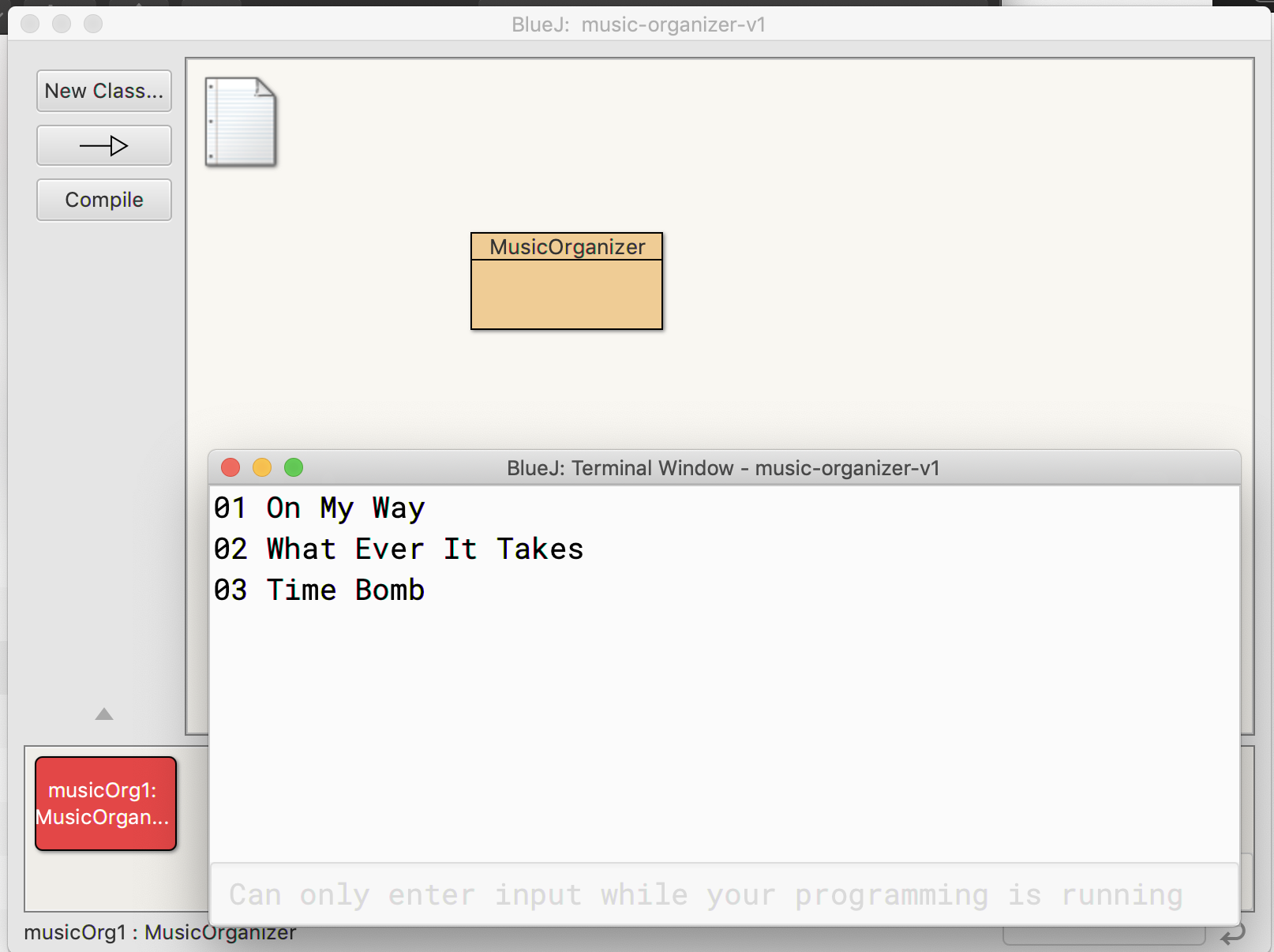
This collection can store information about tracks in a music organizer. We can add track, print the content in a track, print all track or remove tracks through this program. This organizer is essentially a collection.
Class Libraries
Class libraries are collections of useful classes, which means when we want to use some of those classes, we don’t have to rewrite them again. These libraries in Java are called packages.
ArrayList
ArrayList is a special type of collection. It contains <String> items. Because it could only hold objects, which are primitive datatype, we should use wrapper classes (For example, Integer, Double, Boolean). ArrayList are generic classes, which means they can only hold objects with same datatype. Main methods we often use to ArrayList are add, get, remove and size.
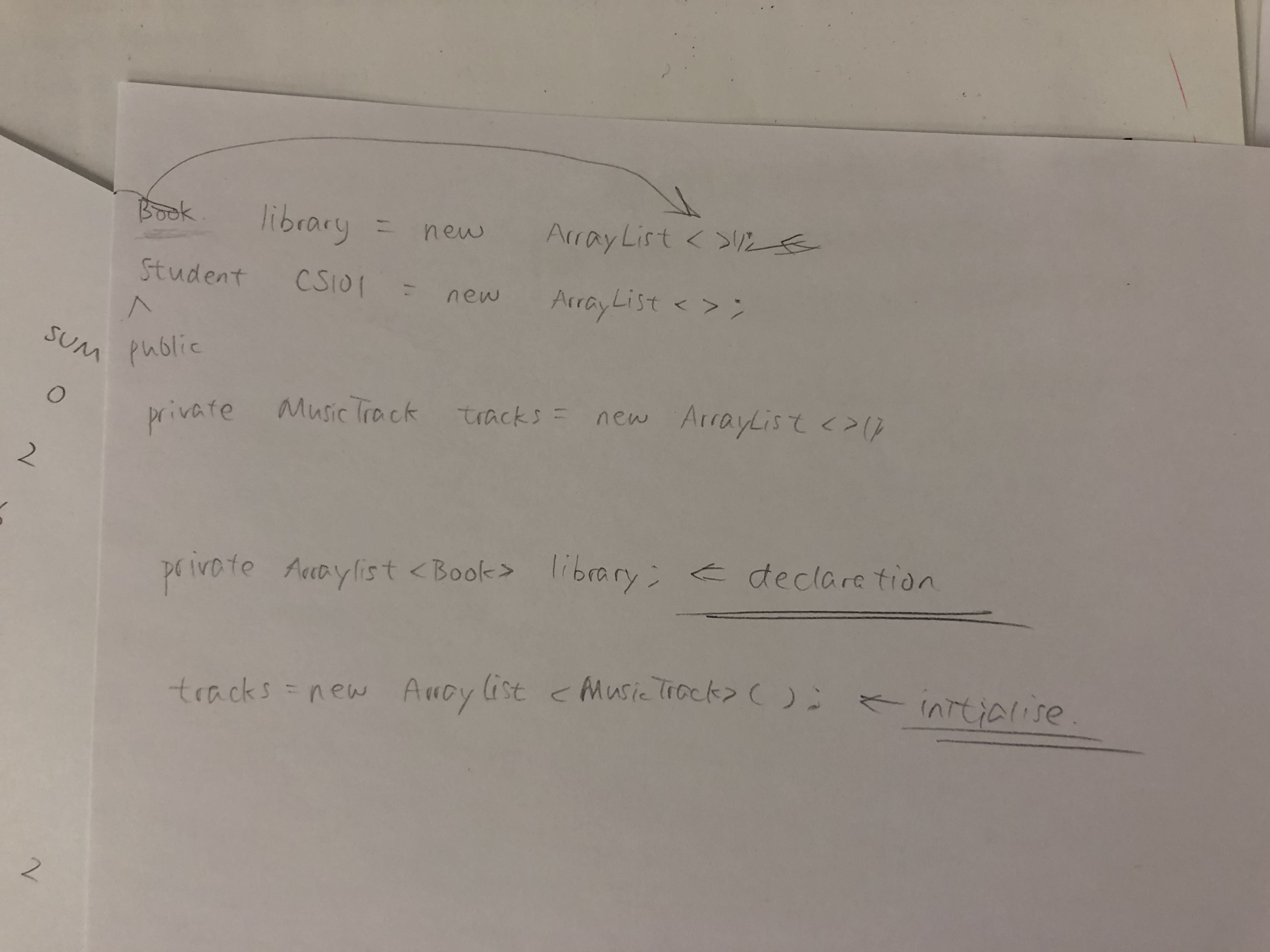
For declaration, we use “public ArrayList<dataType> name;”; and for initialization, we use “public ArrayList<dataType> name;”.
There are some methods that we usually apply to an ArrayList.
- Retrieve: String fileName=files.get(index);
- When we want to print all elements, we can use a loop.
- When searching an element, we can use a similar loop with linear search.
- When we want to detect whether there is any element contains a certain element, we can use contains(search);
- We can use a for-each loop to represent a loop that go through each element in a collection.
- for(ElementType element : collection) {loop body}
Java Predefined Classes
Static Methods and Fields
Static method makes it possible that all values in a specific class could be shared. We do not need to call it before using, because it is a class method.
Wrapper Class
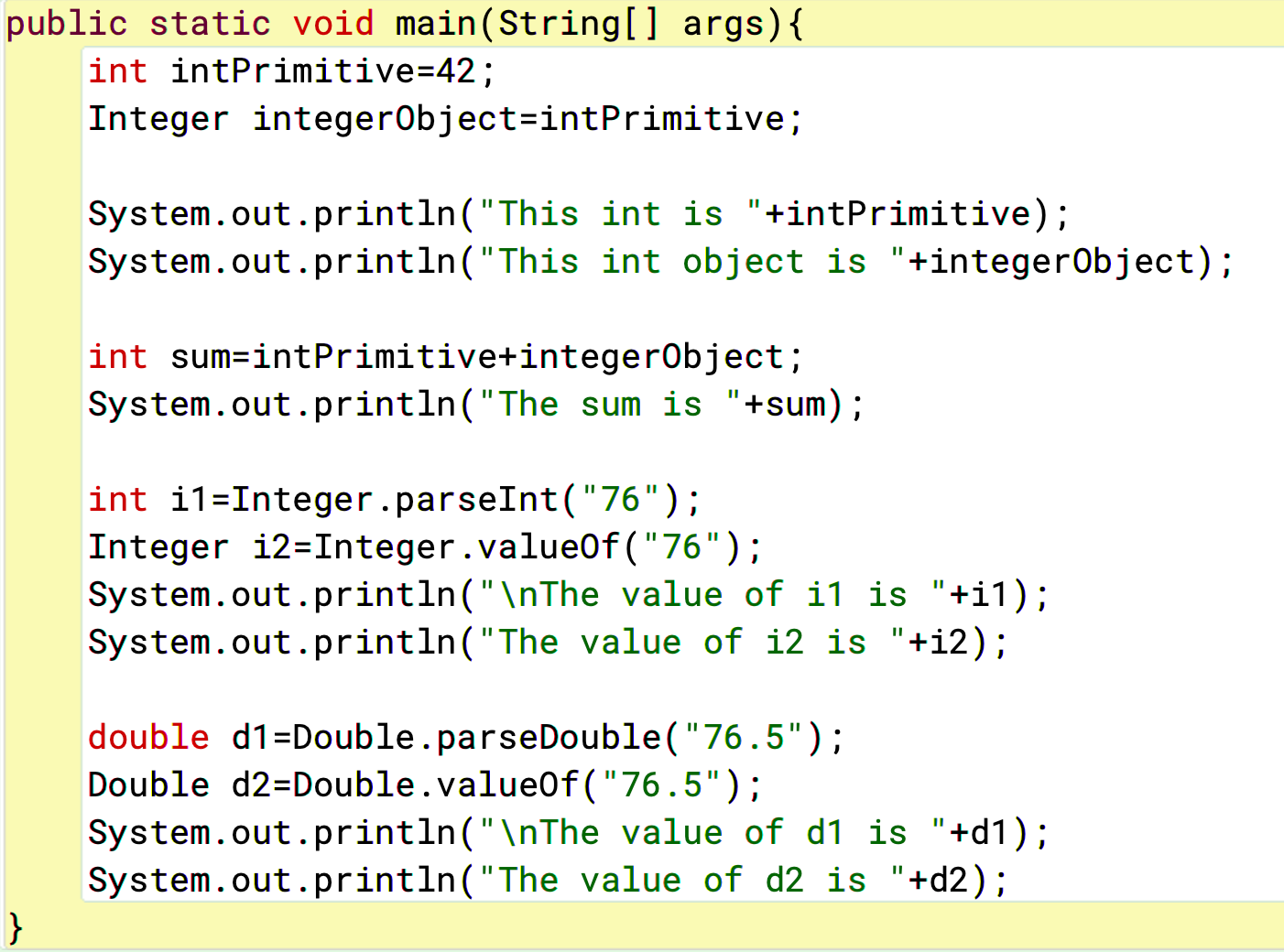
Wrapper class wraps primitive data types (int) into an object (Integer). It can be used when a method requires an object argument but we only have a variable. It can also be used when we want to convert a String into integer.
AutoBoxing is turning a primitive integer into an object: Integer intObject = 42; while unBoxing is turning an object into a primitive integer: int fortyTwo = intObject.
Exercise 3: Converting
System Class
They are contained in the java.lang package, so there is no need to import them. Scanner and print are all system classes.
The toString Method
The method toString() converts an object into a string.
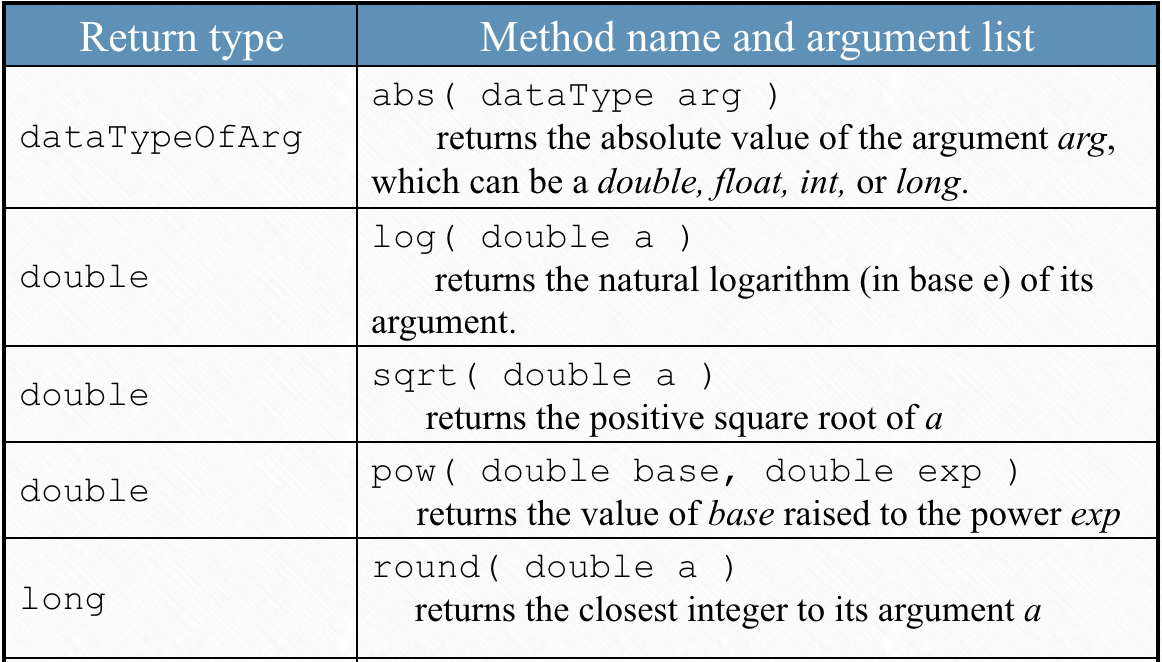
Math Class
It is in the java.lang package.
Math.PI is the value of pi, while Math.E is the value of e.
Conclusion
This week’s class is basically the final part of OOP in this period. We learnt a lot about some pre-set method, which would largely increase our programming efficiency and complexity, helping us constructing better and more intricate programs.
 JIHONG ZHAO