User Documentation and Training
There are two kinds of documentations: internal and external. Internal documentations are for technical users and programmers. Through those explanations, the speed of development could be fasten. They increase the extensibility of the program, because when people want to expand it in the future, they can read the comments. They explains the feature and functions of the codes. Module header, comments, code indentation, code structure may all be internal documentation. External documentations, on the other hand, are for end users. They explain how to use the system for the users (like a training lesson to fasten the implementation). However, they do not explain how exactly the system work. Hardware and software requirements, installation guide, how to start, how to use and examples of errors may all be included in external documentation.
There are three types of user documentations: printed manual, help files and online support. Printed manual can be available at anytime, but it can get lost and the information is also limited. It cannot be updated easily as well. Embedded help files can provide more information about errors, but it cannot be accessed when the program cannot be opened. Online support even has more information, and it provide real-person service, but it requires internet access.

Training, on the other hand, is necessary because users cannot take full advantage of a new advanced IT system. If they are not trained, they may make mistakes, or the functions will not be fully used. There are three forms of training: self-instruction, formal classe s and online training. For example, if teachers at BNDS learn how to use engage themselves, it’s self-instruction; if they learn them from Mr. Pete together, then it’s formal class; if they learn them from a online conference with Mr. Pete, then it’s online training.
Patches, Updates, Upgrades, and Releases
Patches are smallest changes, usually fixing bugs and vulnerabilities. In windows, patches (for firewall, for example) are common and it usually do not need restart.
Updates are larger, making minor improvements and also fixing bugs. Like iOS 13.0.2 that fix the bug of WeChat.
Upgrade are even larger, providing new functions and fixing cumulative bugs.
Finally, releases are brand new versions, like beta version to formal version.
Those Diagrams
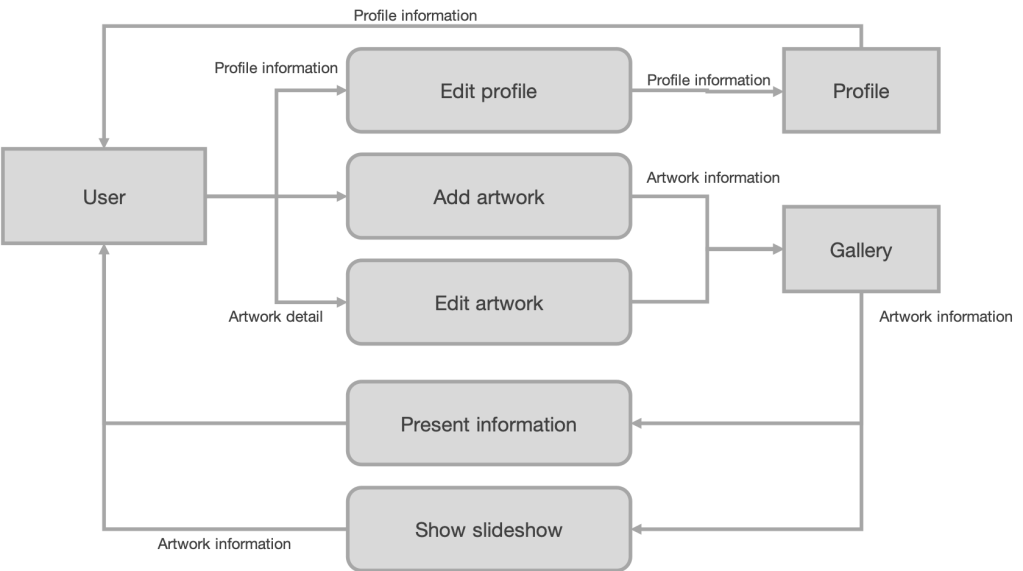
System flowchart is a description of data processing system. It shows how different parts (for example, storage, input, output, print, processing, etc.) of system is connected and how they work as a whole. It uses different shapes to represent different parts or functions. Different parts are connected with single or double arrows.
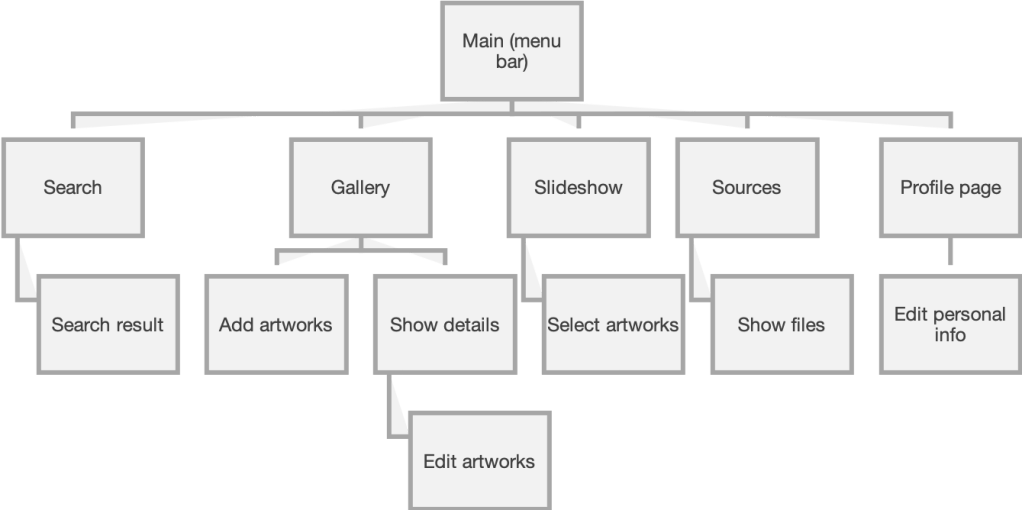
Data flow diagram (DFD) describes the flow of data. Unlike system flowchart, it doesn’t show different kinds of storages. It includes data streams (arrow), external entities (clients, rectangle), storage (half on a rectangle) and processes (rounded rectangle).
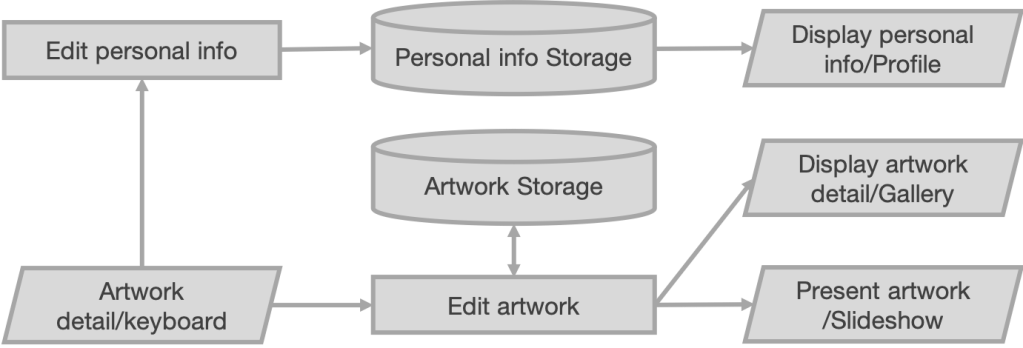
Structure chart describes the relations and logic behind pages. It shows the hierarchical order within a system. It looks like a tree and only shows the organization within the system.
Prototype
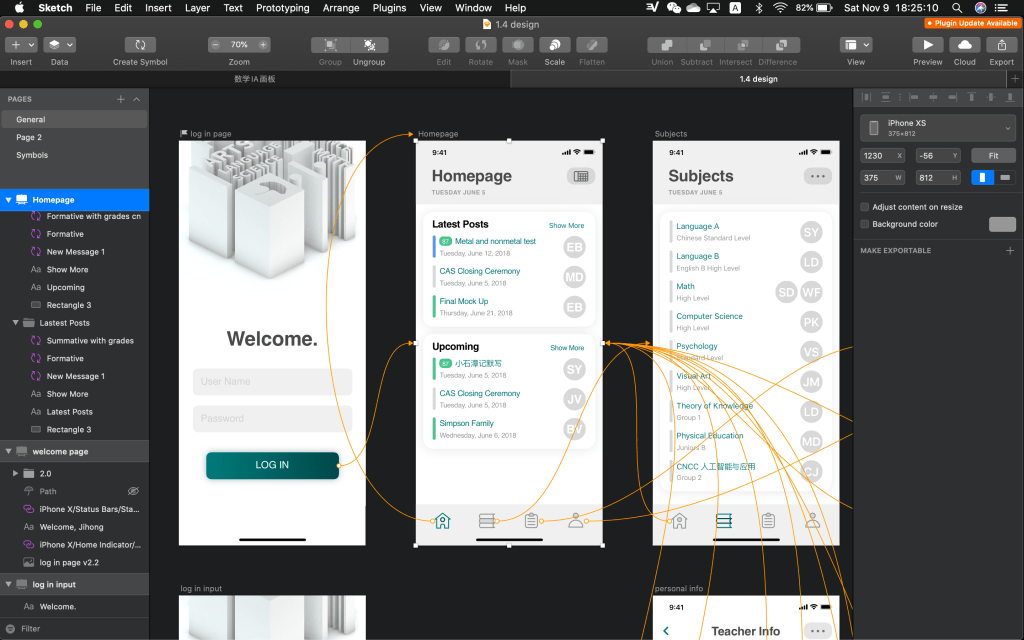
Prototype is ab abstract representation of a system, illustration the working of the system. It contains a simulation of control elements in user interfaces, but the programs are not fully developed. It only indicate the logic between pages. It provides the users “a feeling of it”, so that they would know whether the developers get what the users want; if it is wrong, the cost of changing is not that high. It also increase the efficiency of development because developers can get feedbacks from the users.
Iteration
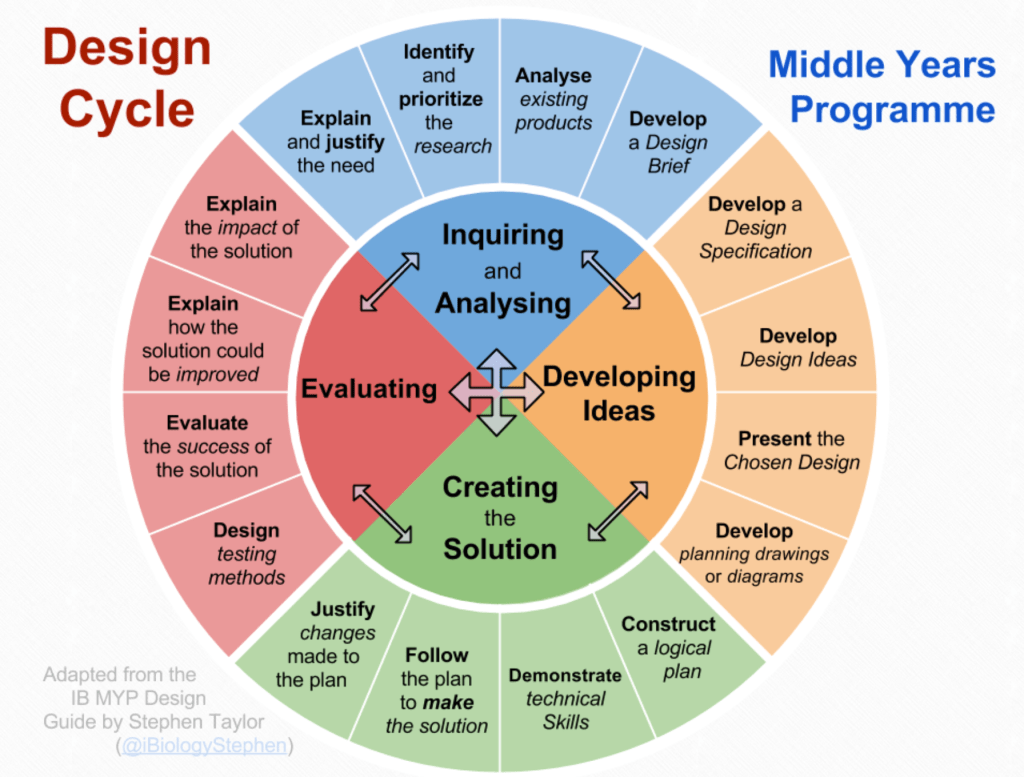
Iteration means the repetition of some instructions for certain times or until the operation generate wanted result. It provides steady improvements during the process of development. Usually, a design cycle is an example of iteration. It contains five stages: planning, analysis, design, implementation, maintenance. These steps usually occur repeatedly until the wanted result is yielded.
Iterative User Interface Design
Since people cannot ensure the first attempt of design could yield interface with best usability, an iterative user interface design is necessary. Usually, 3 rounds of improvements are required. It is needed as new implementations may lead to new problems. In Karat’s case, the value of an interface is estimated by the time saved for users, because the less time they need, they clearer the interface is. The iteration process saved a total 1781 working hours and several ten thousands dollars. Usually, there are two obvious stage of usability improvement as the iterative process is implemented. The first is debugging, and the second is reconceptualizing the program. For example, a telephone white page system was still confusing to users after 14 times of refining; finally, the program was reconceptualized into a command-line interface, so that the structure of the system was hidden to the users. The users’ rating finally increased.
Video: Race Against the Machine
I think it is a long term problem, so people do not to worry about that so much right now. First, some machines (like automobiles mentioned in the video) are still far too expansive for most companies, so human labors are better solutions. In the future, when those machines are cheap enough to use, hopefully the social welfare are sufficient enough to support most people so that they could live happy life without working. Also, there will not be as much people as now probably, as many countries’ population are decreasing.
 JIHONG ZHAO