Network protocol is a series of strict rules of communication between devices. For example, the order, format and actions are all defined by protocols. There are several essential functions of network protocol.
Ensure data integrity means to ensure the overall completeness, accuracy and consistency of data. It may happen because there are interference during the process of data transmission. Error checking (a process to determine the error) and error correction (the ability to repair the error) are ways to ensure data integrity.
Source integrity means that the identity of the sender is valid. This could be verified by digital signature, a way to prove the sender’s identity.
Manage flow control means to distribute certain amount of memory and bandwidth (the amount of data that could be transmitted within a unit of time) to certain communications. Because of the limitedness of memory and bandwidth, protocols have to manage the resources that could be accessed to prevent overload of resources. In specific, throughput is the actual transfer rate within a communication and it’s only as fast as the bottleneck (the slowest link) of the route. Goodput, on the other hand, means the transfer rate of usable data.
Manage congestion means managing the resources and order of communication so that congestion, which is “the requested network resources exceeds the offered capacity”. The memory locations on a network is called “buffers”, and it stores data that has been sent to them from another source. If the buffer is full, congestion happens.
Prevent deadlock means to arrange the order of the communications so that the situation of “two computers are both waiting for each other’s message and no one send one” will never happen.
There are several factors that may affect the speed of data transmission.
The bandwidth of a network could determine the speed. For example, a 100M bandwidth will generally be faster than a 10M bandwidth.
The number of devices connected to the network could determine the speed. As the bandwidth and other resources are limited, the more users there are, the less resources per user could get, so the lower the speed will be. For example, if there is only me using my phone at home, the speed of loading videos will be faster. But if there are five people each connecting their phones, computers a TV, the speed will be much slower.
Whether there is any interference in the environment could determine the speed. We all know that metal material and other thick walls may block wireless wave, which could slow down the speed of internet connection. For example, our school put lots of routers in different rooms, so that the internet will not be blocked by walls.
Types of material could could determine the speed. Metal wire is the most stable and fastest one; wireless signal, on the other hand, is less stable. For example, when the data has to be transported across the ocean, people have to use underwater wire instead of wireless signal.
Malicious software could slow down the speed, because it may stop other softwares from reading the information or limit the resources that the device could access to.
Internet Simulator Activity
We used a website to simulate the environment and structure of internet.
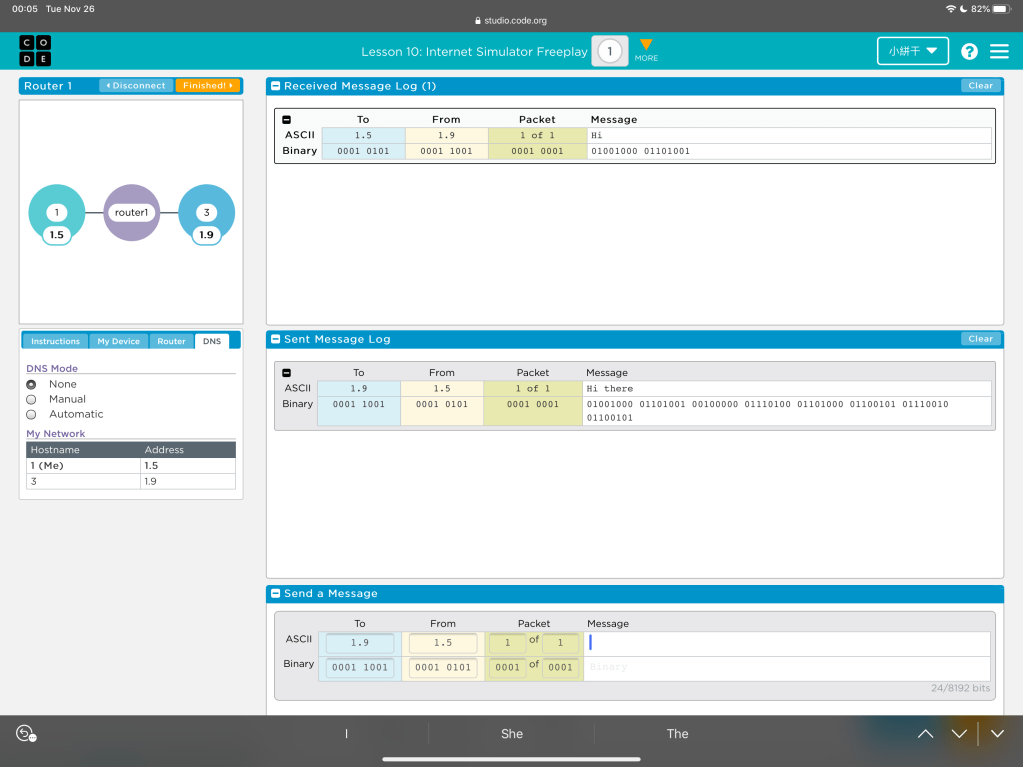
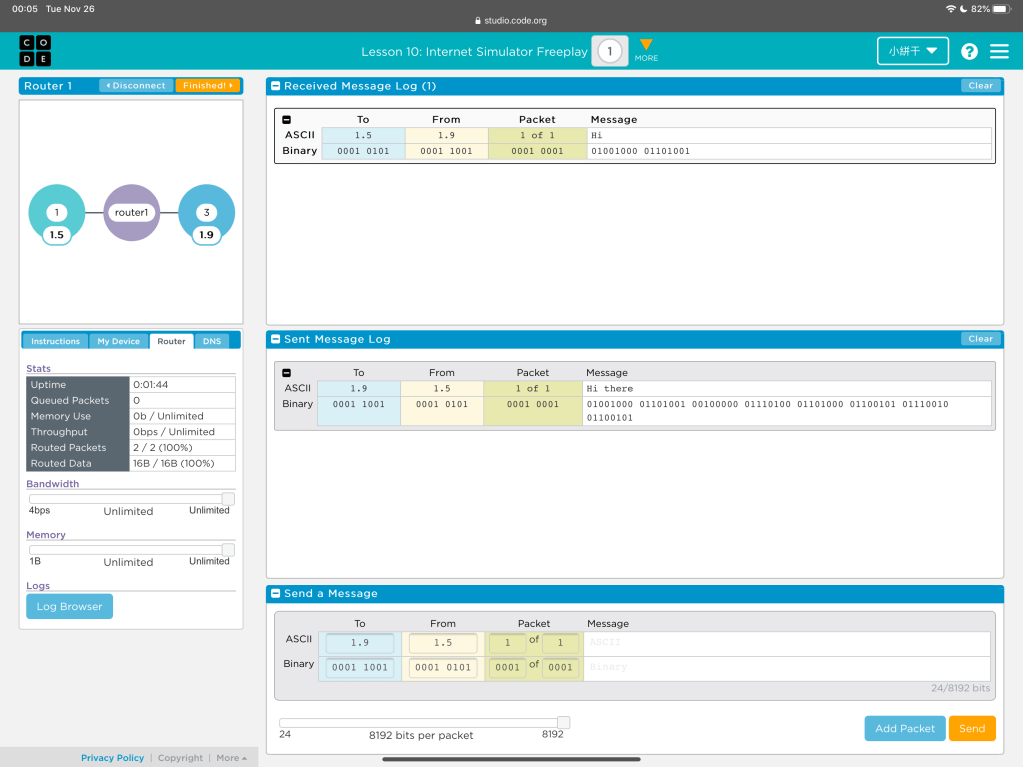
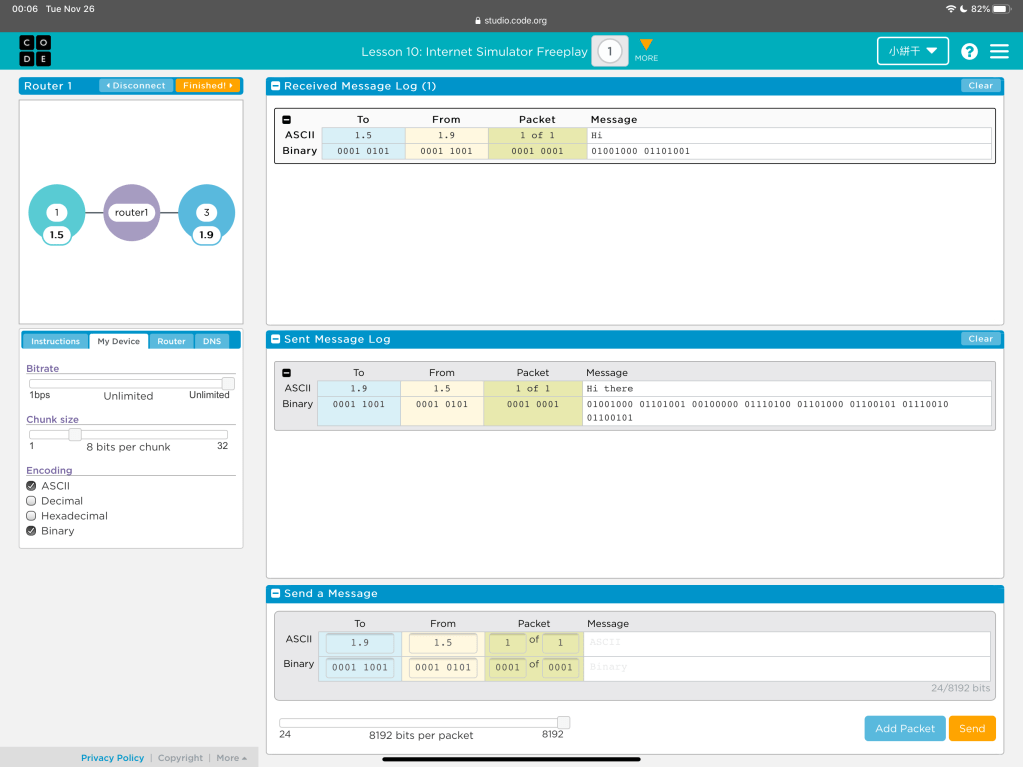
First of all, in each simulator, there is a router that connect all the devices (or user) in the network. Each device has an address, and by defining to which address, one user could send packets to another user. However, sometimes the address is hidden, and only the DNS could see the address. Then, each device need to send their identity to the DNS and the DNS will be an “intermediate”. Although as users, we are inputing ASCII codes into the packets, other devices are receiving them as binary and decode them. If the decode format is set differently, the receiver may not get the information accurately.
There are other parameters. Bitrate means the speed of sending packets; chunk size means how many bits are one chunk and should be interpreted. The longer the chunk, the more information it can carry.
 JIHONG ZHAO